“While something is “tomorrow,” institutions can hold it at arm’s length: debate it, study it, delay it, run pilots, treat it as optional. The moment it becomes “today,” the debate stops being about feasibility and becomes about distribution, governance, and consequence. The bottleneck shifts away from engineering and toward whether we have the institutional capacity to absorb a new infrastructural layer arriving faster than our social contracts can update.”
I joined Miro a year ago this week, back in November 2024.
In my first few weeks I wrote down and shared with the team a few assumptions / goals / thoughts / biases / priors as a kind of pseudo-manifesto for how I thought we might proceed with AI in Miro, and I thought I’d dust them off.
About a month ago we released a bunch of AI features that the team did some amazing work on, and will continue to improve and iterate upon.
If I squint I can maybe see some of this in there, but of course a) it takes a village and b) a lot changed in both the world of AI and Miro in the course of 2025.
Anyway – FWIW I thought it would still be fun to post what I thought I year ago, as there might be something useful still there, accompanied by some slightly-odd Sub-Gondry stylings from Veo3…
Multiplayer / Multispecies
When we are building AI for Miro always bear in mind the human-centred team nature of innovation and making complex project work. Multiplayer scenarios are always the start of how we consider AI processes, and the special sauce of how we are different to other AI tools.
Minds on the Map
The canvas is a distinct advantage for creating an innovation workspace – the visibility and context than can be given to human team members should extend to the AI processes that can be brought to bear on it. They should use all the information created by human team members on the canvas in their work.
Help both Backstage & On-Stage
Work moves fluidly from unstructured and structured modes, asynchronous and synchronous, solo and team work – and there are aspects of preparation and performance to all of these. AI processes should work fluidly across all of them.
AI is always Non-Destructive
All AI processes aim to preserve and prioritise work done by human teams.
AI gets a Pencil, Humans get a Pen
Anything created by an AI process (initially) has a distinct visual/experiential identity so that human team members can identify it quickly.
No Teleporting
Don’t teleport users to a conclusion.
Where possible, expose the ‘chain of thought’ that the AI process so that users can understand how it arrived at the output, and edit/iterate on it.
AIs leave visible (actionable) evidence
Where possible, expose the AI processes’ ‘chain of thought’ on the board so that users can understand how it arrived at the output, and edit/iterate on it. Give hooks into this for integrations, and make context is well logged in versions/histories.
eBikes for the Mind
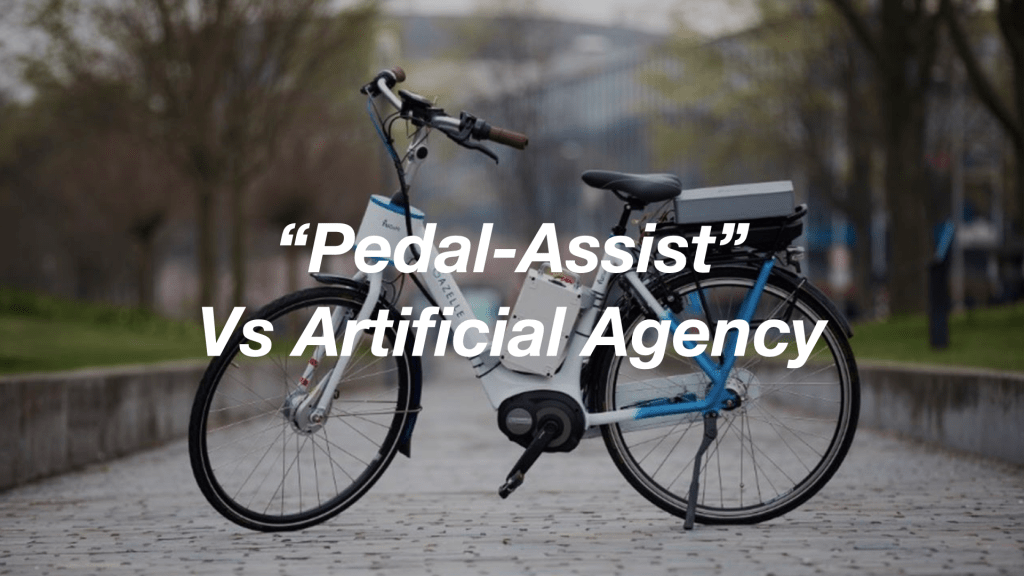
Humans always steer and control – but AI processes can accelerate and compress the distances travelled. They are mostly ‘pedal-assistance’ rather than self-driving.
Help do the work of the work
What are the AI processes that can accelerate or automate the work around the work e.g. taking notes, scheduling, follows ups, organising, coordinating: so that the human team mates can get on with the things they do best.
Using Miro to use Miro
Eventually, AI processes in Miro extend in competence to instigate and initiate work in teams in Miro. This could have its roots in composable workflows and intelligent templates, but extend to assembling/convening/facilitating significant amounts of multiplayer/multispecies work on an indvidual’s behalf.
My Miro AI
What memory / context can I count on to bring to my work, that my agents or my team can use. How can I count on my agents not to start from scratch each time? Can I have projects I am working on with my agents over time? Are my agents ‘mine’? Can I bring my own AI, visualise and control other AI tools in Miro or export the work of Miro agents to other tools, or take it with me when I move teams/jobs (within reason). Do my agents have resumes?
Figma feels (to me) like one of those product design empathy experiences where you’re made to wear welding gloves to use household appliances.
I appreciate its very good for rapidly constructing utilitarian interfaces with extremely systemic approaches.
I just sometimes find myself staring at it (and/or swearing at it) when I mistakenly think of it as a tool for expression.
Currently I find myself in a role where I work mostly with people who are extremely good and fast at creating in Figma.
I am really not.
However, I have found that I can slowly tinker my way into translating my thoughts into Figma.
I just can’t think in or with Figma.
Currently there’s discussion of ‘vibe coding’ – that is, using LLMs to create code by iterating with prompts, quickly producing workable prototypes, then finessing them toward an end.
I’ve found myself ‘vibe designing’ in the last few months – thinking and outlining with pencil, pen and paper or (mostly physical) whiteboard as has been my habit for about 30 years, but with interludes of working with Claude (mainly) to create vignettes of interface, motion and interaction that I can pin onto the larger picture akin to a material sample on a mood board.
Where in the past 30 years I might have had to cajole a more technically adept colleague into making something through sketches, gesticulating and making sound effects – I open up a Claude window and start what-iffing.
It’s fast, cheap and my more technically-adept colleagues can get on with something important while I go down a (perhaps fruitless) rabbit hole of trying to make a micro-interaction feel like something from a triple-AAA game.
The “vibe” part of the equation often defaults to the mean, which is not a surprise when you think about what you’re asking to help is a staggeringly-massive machine for producing generally-unsurprising satisfactory answers quickly. So, you look at the output as a basis for the next sketch, and the next sketch and quickly, together, you move to something more novel as a result.
Inevitably (or for now, if you believe the AI design thought-leadering that tools like replit, lovable, V0 etc will kill it) I hit the translate-into-Figma brick wall at some point, but in general I have a better boundary object to talk with other designers, product folk and engineers if my Figma skills don’t cut it to describe what I’m trying to describe.
Of course, being of a certain vintage, I can’t help but wonder that sometimes the colleague-cajoling was the design process, and I’m missing out on the human what-iffing until later in the process.
I miss that, much as I miss being in a studio – but apart from rarefied exceptions that seems to be gone.
Vibe designing is turn-based single-player, for now… which brings me back to the day job…
A couple of weeks ago, at the end of July, I booked a slot to try out the Apple Vision Pro.
It has been available for months in the USA, and might already be in the ‘trough of disillusionment’ there already – but I wanted to give it a try nonetheless.
I sat on a custom wood and leather bench in the Apple Store Covent Garden that probably cost more than a small family car, as a custom machine scanned my glasses to select the custom lenses that would be fitted to the headset.
I chatted to the personable, partially-scripted Apple employee who would be my guide for the demo.
Eventually the device showed up on a custom tray perfectly 10mm smaller than the custom sliding shelf mounted in the custom wood and leather bench.
The beautifully presented Apple Vision Pro at the Apple Store Covent Garden
And… I got the demo?
It was impressive technically, but the experience – which seemed to be framed as one of ‘experiencing content’ left me nonplused.
I’m probably an atypical punter, but the bits I enjoyed the most were the playful calibration processes, where I had to look at coloured dots and pinch my fingers, accompanied by satisfying playful little touches of motion graphics and haptics.
That is, the stuff where the spatial embodiment was the experience was the most fun, for me…
Apple certainly have gone to great pains to try a and distinguish the Vision Pro from AR and VR – making sure it’s referenced throughout as ‘spatial computing’ – but there’s very little experience of space, in a kinaesthetic sense.
It’s definitely conceived of as ‘spatial-so-long-as-you-stay-put-on-the-sofa computing’ rather than something kinetic, embodied.
The technical achievements of the fine grain recognition of gesture are incredible – but this too serves to reduce the embodied experience.
At the end of the demo, the Apple employee seemed to be noticeably crestfallen that I hadn’t gasped or flinched at the usual moments through the immersive videos of sport, pop music performance and wildlife.
He asked me what I would imagine using the Vision Pro for – and I said int he nicest possible way I probably couldn’t imagine using it – but I could imagine interesting uses teamed with something like Shapr3d and the Apple Pencil on my iPad.
He looked a little sheepish and said that wasn’t probably going to happen but sooner with SW updates, I could use the Vision Pro as an extended display. OK- that’s … great?
But I came away imagining more.
I happened to run into an old friend and colleague from BERG in the street near the Apple Store and we started to chat about the experience I’d just had.
I unloaded a little bit on them, and started to talk about the disappointing lack of embodied experiences.
We talked about the constraint of staying put on the sofa – rather than wandering around with the attendant dangers.
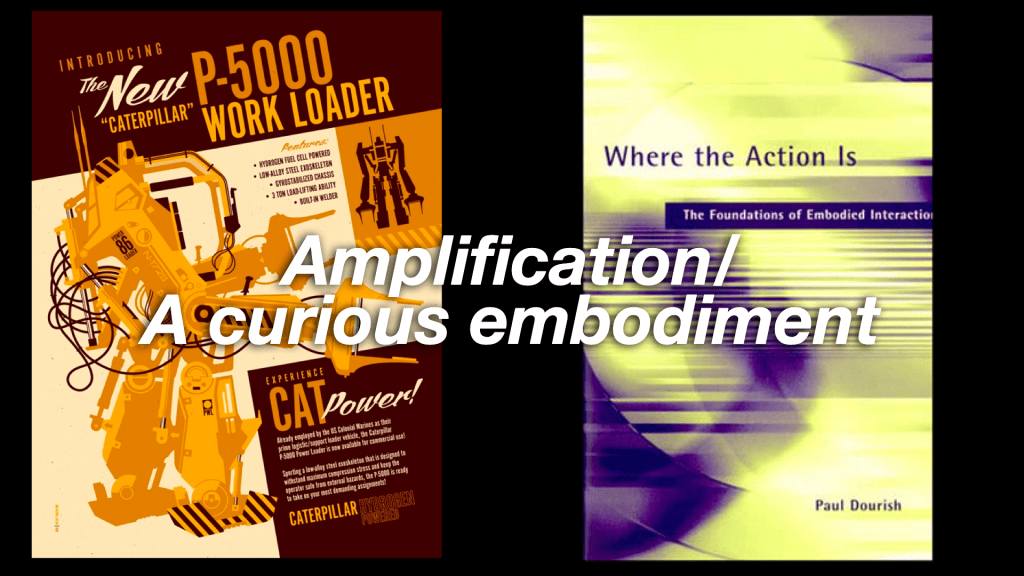
But we’ve been thinking about ‘stationary’ embodiment since Dourish, Sony Eyetoy and the Wii, over 20 years ago.
It doesn’t seem like that much of a leap to apply some of those thoughts to this new level of resolution and responsiveness that the Vision Pro presents.
With all that as a preamble – here are some crappy sketches and first (half-formed) thoughts I wanted to put down here.
Imagining the combination of a Vision Pro, iPad and Apple Pencil
Vision Pro STL Printer Sim
The first thing that came to mind in talking to my old colleague in the street was to take some of the beautiful realistically-embedded-in-space-with-gorgeous-shadows windows that just act like standard 2D pixel containers in the Vision Pro interface and turn them into ‘shelves’ or platens that you could have 3D virtual objects atop.
One idea was to extend my wish for some kind of Shapr3D experience into being able to “previsualise” the things I’m making in the real world. The app already does a great job of this with it’s AR features, but how about having a bit of fun with it, and rendering the object on the Vision Pro via a super fast, impossibly capable (simulated) 3d printer – that of course because it’s simulated can print in any material…
Sketch of Vision Pro 3d sim-printer
(Roughly) Animated sketch of Vision Pro 3d sim-printer
Once my designed objected had been “printed” in the material of my choosing, super-fast (and without any of the annoying things that can happen when you actually try to 3d print something…) I could of course change my scale in relation to it to examine details, place it in beautiful inaccessible immersive surroundings, apply impossible physics to it etc etc. Fun!
Vision Pro Pottery
Extending the idea of the virtual platen – could I use my iPad in combination with with Vision pro as a cross-over real/virtual creative surface in my field of view. Rather than have a robot 3d printer do the work for me, could I use my hands and sculpt something on it?
Could I move the iPad up and down or side to side to extrude or lathe sculpted shapes in space in front of me?
Could it spin and become a potter’s wheel with the detailed resolution hand detection of the Vision Pro picking up the slightest changes to give fine control to what I’m shaping.
Is Patrick Swayze over my shoulder?
Vision Pro + iPad sculpting in space.
Maybe it’s something much more throw-away and playful – like using the iPad as an extremely expensive version of a deformed wire coat-hanger to create streams of beautiful, iridescent bubbles as you drag it through the air – but perhaps capturing rare butterflies or fairies in them as you while away the hours atop Machu Picchu or somewhere similar where it would be frowned up to spill washing-up liquid so frivolously…
Making impossible bubbles with an iPad in Vision Pro world
Of course this interaction owes more than a little debt to a previous iPad project I saw get made first hand, namely BERG’s iPad Light-painting
Although my only real involvement in that project was as a photographic model…
Your correspondent behind an iPad-lightpainted cityscape (Image by Timo, of course)
Pencils, Pads, Platforms, Pots, Platens, Plinths
Perhaps there is an interesting little more general, sober, useful pattern in these sketches – of horizontal virtual/real crossover ‘plates’ for making, examining and swapping between embodied creation with pencil/iPad and spatial examination and play with the Vision Pro.
I could imagine pinching something from the vertical display windows ion Vision Pro to place onto my ipad (or even my watch?) in order to keep it, edit it, change something about it – before casting it back into the simulated spatial reality of the Vision Pro.
Perhaps it allows for a relationship between two realms that feels more embodied and ‘real’ without having to leave the sofa.
Perhaps it also allows for less ‘real’ but more fun stuff to happen in the world of the Vision Pro (which in the demo seems doggedly to anchor on ‘real’ experience verissimilitude – sport, travel, family, pop concerts)
Perhaps my Apple watch can be more of a Ben 10 supercontroller – changing into a dynamic UI to the environment I’m entering, much like it changes automatically when I go swimming with it and dive under…
Anyway – was very much worth doing the demo, I’d recommend it, if only for some quick stretching (and sketching) of the mindlegs.
My sketches in a cafe a few days after the demo
All in all I wish the Vision Pro was just *weirder*.
Back when it came out in the US in February I did some more sketches in reaction to that thought… I can’t wait to see something like a bonkers Gondry video created just for the Vision Pro…
As a fan of Alan Kay and the original vision of the Dynabook is made me very happy.
But moreover – as someone who has never been that excited by the chatbot/voice obsessions of BigTech, it was wonderful to see.
Of course the proof of this pudding will be in the using, but the notion of a real-time magic notebook where the medium is an intelligent canvas responding as an ‘intelligence amplifier‘ is much more exciting to me than most of the currently hyped visions of generative AI.
I was particularly intrigued to see the more diagrammatic example below, which seemed to belong in the conceptual space between Bret Victor’s Dynamicland and Papert’s Mathland.
I recall when I read Papert’s “Mindstorms” (back in 2012 it seems? ) I got retroactively angry about how I had been taught mathematics.
The ideas he advances for learning maths through play, embodiment and experimentation made me sad that I had not had the chance to experience the subject through those lenses, but instead through rote learning leading to my rejection of it until much later in life.
As he says “The kind of mathematics foisted on children in schools is not meaningful, fun, or even very useful.”
Perhaps most famously he writes:
“a computer can be generalized to a view of learning mathematics in “Mathland”; that is to say, in a context which is to learning mathematics what living in France is to learning French.”
Play, embodiment, experimentation – supported by AI – not *done* for you by AI.
I’ve long thought the assistant model should be considered harmful. Perhaps the Apple approach announced at WWDC means it might not be the only game in town for much longer.
My first email to him had the subject line of this blog post: “Magic notebooks, not magic girlfriends” – which I think must have intrigued him enough to respond.
This, in turn, led to the fantastic experience of meeting up with him a few times while he was based in Edinburgh and having him write a series of brilliant pieces (for internal consumption only, sadly) on what truly personal AI might mean through his lens of cognitive science and philosophy.
As a tease here’s an appropriate snippet from one of Professor Clark’s essays:
“The idea here (the practical core of many somewhat exotic debates over the ‘extended mind’) is that considered as thinking systems, we humans already are, and will increasingly become, swirling nested ecologies whose boundaries are somewhat fuzzy and shifting. That’s arguably the human condition as it has been for much of our recent history—at least since the emergence of speech and the collaborative construction of complex external symbolic environments involving text and graphics. But emerging technologies—especially personal AI’s—open up new, potentially ever- more-intimate, ways of being cognitively extended.”
I think that’s what I object to, or at least recoil from in the ‘assistant’ model – we’re abandoning exploring loads of really rich, playful ways in which we already think with technology.
Drawing, model making, acting things out in embodied ways.
Back to Papert’s Mindstorms:
“My interest is in the process of invention of “objects-to-think-with,” objects in which there is an intersection of cultural presence, embedded knowledge, and the possibility for personal identification.”
“…I am interested in stimulating a major change in how things can be. The bottom line for such changes is political. What is happening now is an empirical question. What can happen is a technical question. But what will happen is a political question, depending on social choices.”
The some-what lost futures of Kay, Victor and Papert are now technically realisable.
“what will happen is a political question, depending on social choices.”
That is, Apple are toolmakers, at heart – and personal device sellers at the bottom line. They don’t need to maximise attention or capture you as a rent (mostly). That makes personal AI as a ‘thing’ that can be sold much more of viable choice for them of course.
Apple are far freer, well-placed (and of coursse well-resourced) to make “objects-to-think-with, objects in which there is an intersection of cultural presence, embedded knowledge, and the possibility for personal identification.”
The wider strategy of “Apple Intelligence” appears to be just that.
But – my hope is the ‘magic notebook’ stance in the new iPad calculator represents the start of exploration in a wider, richer set of choices in how we interact with AI systems.
I was fortunate to be invited to the wonderful (huge) campus of TU Delft earlier this year to give a talk on “Designing for AI.”
I felt a little bit more of an imposter than usual – as I’d left my role in the field nearly a year ago – but it felt like a nice opportunity to wrap up what I thought I’d learned in the last 6 years at Google Research.
Below is the recording of the talk – and my slides with speaker notes.
The excellent talks of my estimable fellow speakers – Elizabeth Churchill, Caroline Sinders and John can be found on the event site here.
Video of Matt Jones “Designing for AI” talk at TU Delft, October 2022Slide 1
Hello!
Slide 2
This talk is mainly a bunch of work from my recent past – the last 5/6 years at Google Research. There may be some themes connecting the dots I hope! I’ve tried to frame them in relation to a series of metaphors that have helped me engage with the engineering and computer science at play.
Slide 3
I won’t labour the definition of metaphor or why it’s so important in opening up the space of designing AI, especially as there is a great, whole paper about that by Dave Murray-Rust and colleagues! But I thought I would race through some of the metaphors I’ve encountered and used in my work in the past.
The term AI itself is best seen as a metaphor to be translated. John Giannandrea was my “grand boss” at Google and headed up Google Research when I joined. JG’s advice to me years ago still stands me in good stead for most projects in the space…
But the first metaphor I really want to address is that of the Optometrist.
This image of my friend Phil Gyford (thanks Phil!) shows him experiencing something many of us have done – taking an eye test in one of those wonderful steampunk contraptions where the optometrist asks you to stare through different lenses at a chart, while asking “Is it better like this? Or like this?”
This comes from the ‘optometrist’ algorithm work by colleagues in Google Research working with nuclear fusion researchers. The AI system optimising the fusion experiments presents experimental parameter options to a human scientist, in the mode of a eye testing optometrist ‘better like this, or like this?’
It makes the human the ineffable intuitive hero, but perhaps masking some of the uncanny superhuman properties of what the machine is doing.
The AIs are magic black boxes, but so are the humans!
Which has lead me in the past to consider such AI-systems as ‘magic boxes’ in larger service design patterns.
How does the human operator ‘call in’ or address the magic box?
How do teams agree it’s ‘magic box’ time?
I think this work is as important as de-mystifying the boxes!
Lais de Almeida – a past colleague at Google Health and before that Deepmind – has looked at just this in terms of the complex interactions in clinical healthcare settings through the lens of service design.
How does an AI system that can outperform human diagnosis (Ie the retinopathy AI from deep mind shown here) work within the expert human dynamics of the team?
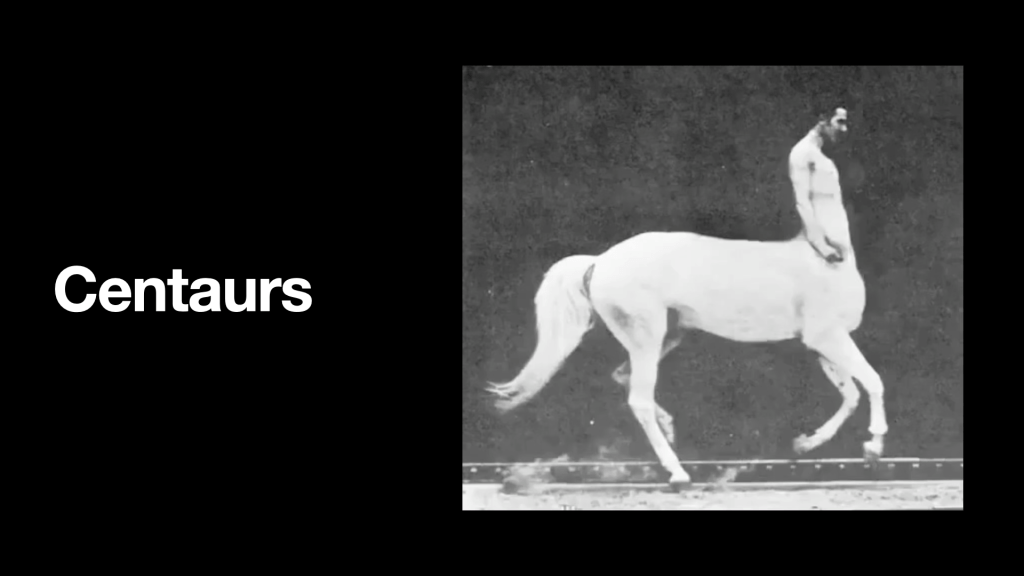
My next metaphor might already be familiar to you – the centaur.
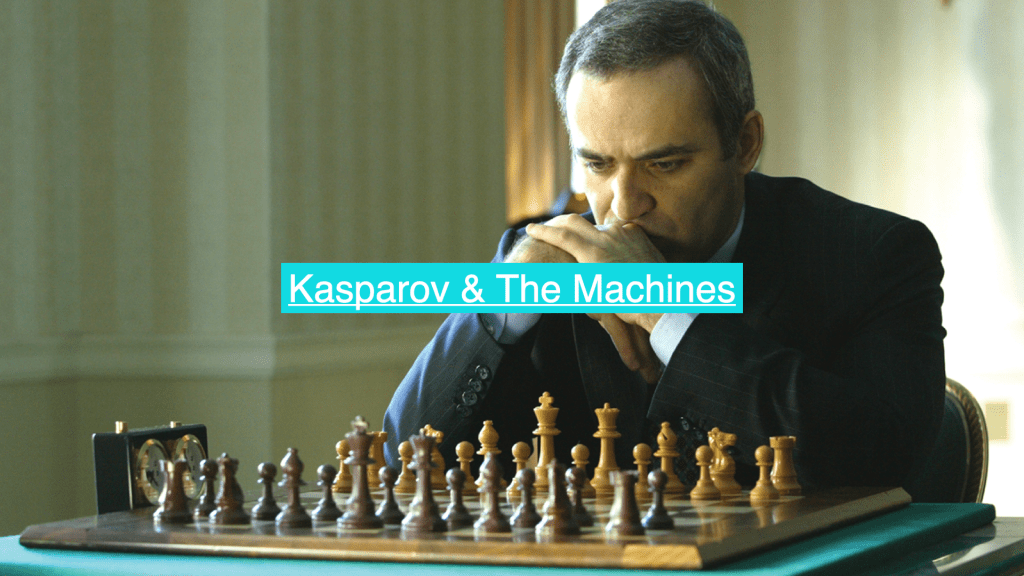
Gary Kasparov famously took on chess-AI Deep Blue and was defeated (narrowly)
He came away from that encounter with an idea for a new form of chess where teams of humans and AIs played against other teams of humans and AIs… dubbed ‘centaur chess’ or ‘advanced chess’
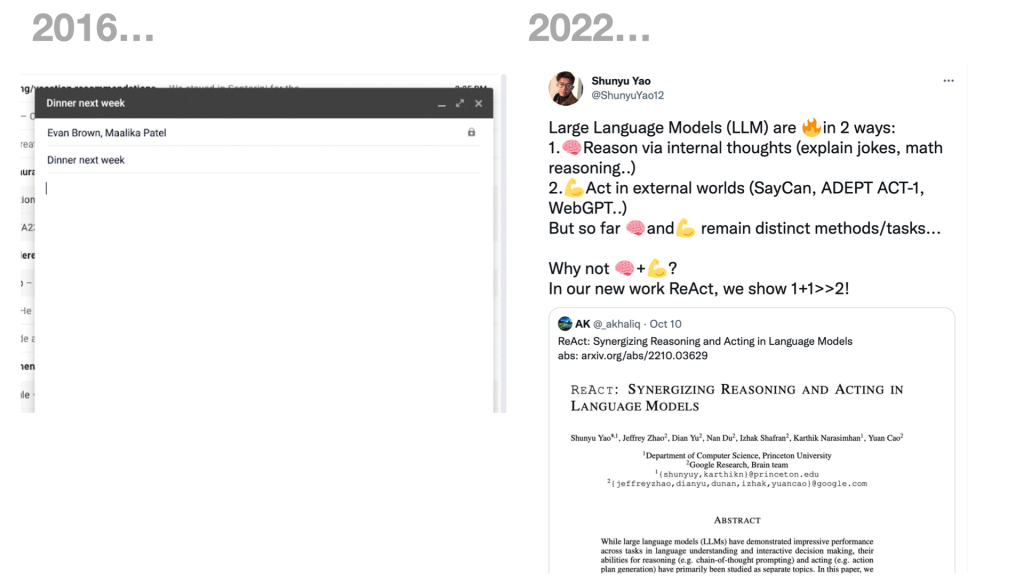
I first started investigating this metaphorical interaction about 2016 – and around those times it manifested in things like Google’s autocomplete in gmail etc – but of course the LLM revolution has taken centaurs into new territory.
This very recent paper for instance looks at the use of LLMs not only in generating text but then coupling that to other models that can “operate other machines” – ie act based on what is generated in the world, and on the world (on your behalf, hopefully)
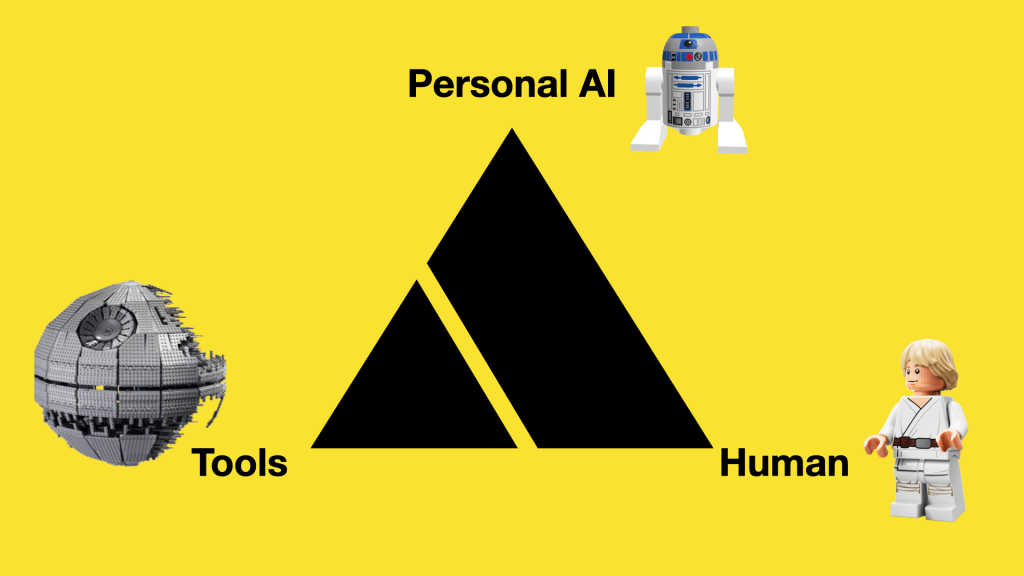
And notion of a Human/AI agent team is something I looked into with colleagues in Google Research’s AIUX team for a while – in numerous projects we did under the banner of “Project Lyra”.
Rather than AI systems that a human interacts with e.g. a cloud based assistant as a service – this would be pairing truly-personal AI agents with human owners to work in tandem with tools/surfaces that they both use/interact with.
We worked with london-based design studio Special Projects on how we might ‘unbox’ and train a personal AI, allowing safe, playful practice space for the human and agent where it could learn preferences and boundaries in ‘co-piloting’ experiences.
For this we looked to techniques of teaching and developing ‘mastery’ to adapt into training kits that would come with your personal AI .
On the ‘pedal-assist’ side of the metaphor, the space of ‘amplification’ I think there is also a question of embodiment in the interaction design and a tool’s “ready-to-hand”-ness. Related to ‘where the action is’ is “where the intelligence is”
In 2016 I was at Google Research, working with a group that was pioneering techniques for on-device AI.
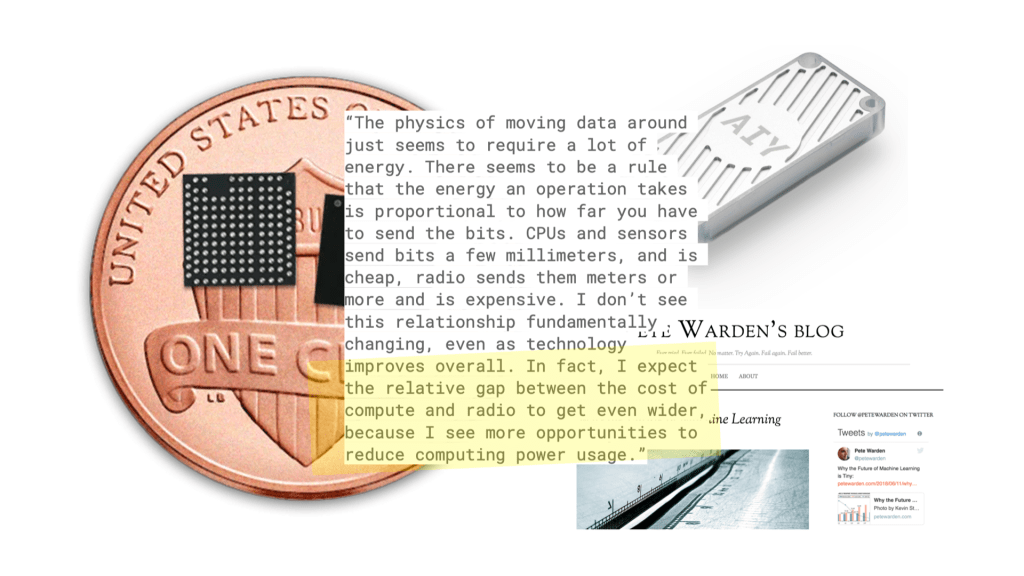
Moving the machine learning models and operations to a device gives great advantages in privacy and performance – but perhaps most notably in energy use.
If you process things ‘where the action is’ rather than firing up a radio to send information back and forth from the cloud, then you save a bunch of battery power…
Clips was a little autonomous camera that has no viewfinder but is trained out of the box to recognise what humans generally like to take pictures of so you can be in the action. The ‘shutter’ button is just that – but also a ‘voting’ button – training the device on what YOU want pictures of.
There is a neural network onboard the Clips initially trained to look for what we think of as ‘great moments’ and capture them.
It had about 3 hours battery life, 120º field of view and can be held, put down on picnic tables, clipped onto backpacks or clothing and is designed so you don’t have to decide to be in the moment or capture it. Crucially – all the photography and processing stays on the device until you decide what to do with it.
This sort of edge AI is important for performance and privacy – but also energy efficiency.
A mesh of situated “Small models loosely joined” is also a very interesting counter narrative to the current massive-model-in-the-cloud orthodoxy.
This from Pete Warden’s blog highlights the ‘difference that makes a difference’ in the physics of this approach!
And I hope you agree addressing the energy usage/GHG-production performance of our work should be part of the design approach.
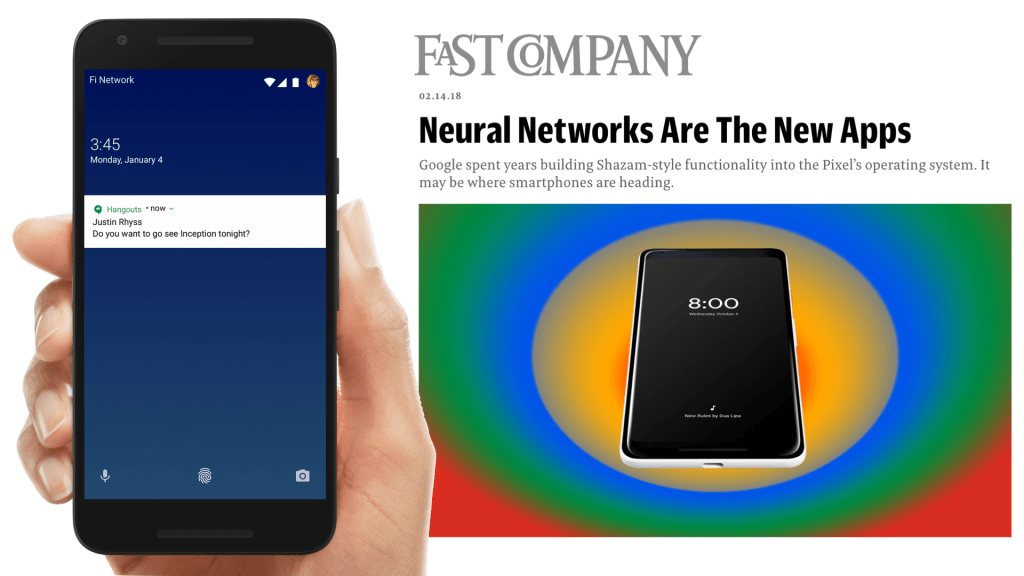
Another example from around 2016-2017 – the on-device “now playing” functionality that was built into Pixel phones to quickly identify music using recognisers running purely on the phone. Subsequent pixel releases have since leaned on these approaches with dedicated TPUs for on-device AI becoming selling points (as they have for iOS devices too!)
And as we know ourselves we are not just brains – we are bodies… we have cognition all over our body.
Our first shipping AI on-device felt almost akin to these outposts of ‘thinking’ – small, simple, useful reflexes that we can distribute around our cyborg self.
And I think this approach again is a useful counter narrative that can reveal new opportunities – rather than the centralised cloud AI model, we look to intelligence distributed about ourselves and our environment.
A related technique pioneered by the group I worked in at Google is Federated Learning – allowing distributed devices to train privately to their context, but then aggregating that learning to share and improve the models for all while preserving privacy.
This once-semiheretical approach has become widespread practice in the industry since, not just at Google.
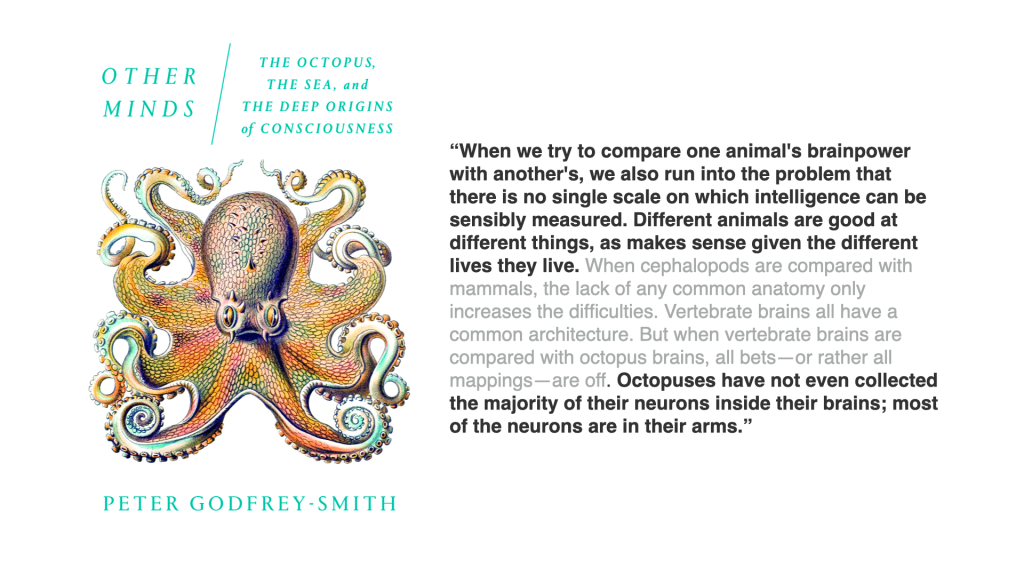
My next metaphor builds further on this thought of distributed intelligence – the wonderful octopus!
I have always found this quote from ETH’s Bertrand Meyer inspiring… what if it’s all just knees! No ‘brains’ as such!!!
In Peter Godfrey-Smith’s recent book he explores different models of cognition and consciousness through the lens of the octopus.
What I find fascinating is the distributed, embodied (rather than centralized) model of cognition they appear to have – with most of their ‘brains’ being in their tentacles…
And moving to fiction, specifically SF – this wonderful book by Adrian Tchaikovsky depicts an advanced-race of spacefaring octopi that have three minds that work in concert in each individual. “Three semi-autonomous but interdependent components, an “arm-driven undermind (their Reach, as opposed to the Crown of their central brain or the Guise of their skin)”
I want to focus on the that idea of ‘guise’ from Tchaikovsky’s book – how we might show what a learned system is ‘thinking’ on the surface of interaction.
We worked with Been Kim and Emily Reif in Google research who were investigating interpretability in modest using a technique called Tensor concept activation vectors or TCAVs – allowing subjectivities like ‘adventurousness’ to be trained into a personalised model and then drawn onto a dynamic control surface for search – a constantly reacting ‘guise’ skin that allows a kind of ‘2-player’ game between the human and their agent searching a space together.
This is CavCam and CavStudio – more work using TCAVS by Nord Projects again, with Alison Lentz, Alice Moloney and others in Google Research examining how these personalised trained models could become reactive ‘lenses’ for creative photography.
There are some lovely UI touches in this from Nord Projects also: for instance the outline of the shutter button glowing with differing intensity based on the AI confidence.
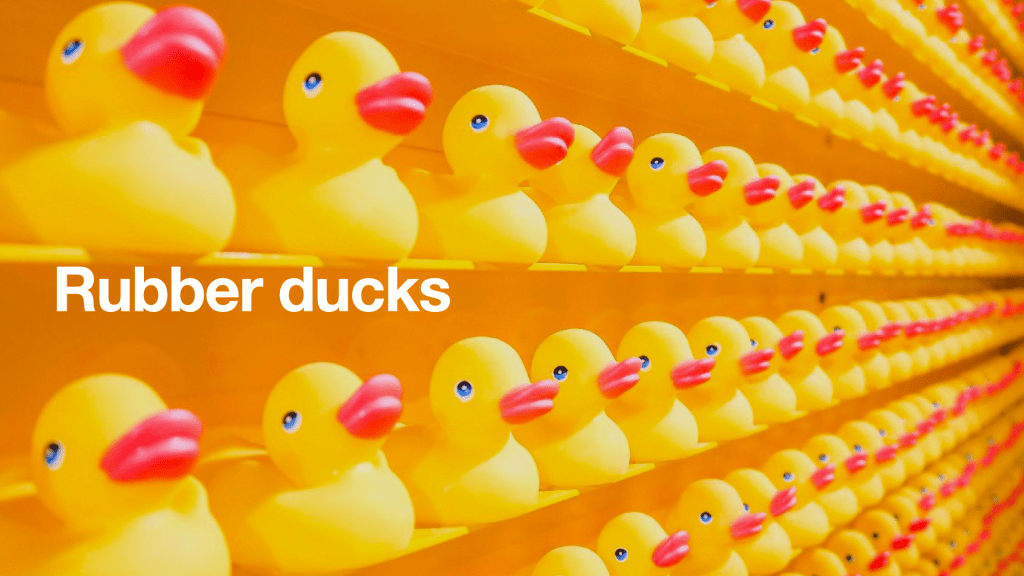
Finally – the Rubber Duck metaphor!
You may have heard the term ‘rubber duck debugging’? Whereby your solve your problems or escape creative blocks by explaining out-loud to a rubber duck – or in our case in this work from 2020 and my then team in Google Research (AIUX) an AI agent.
We did this through the early stages of covid where we felt keenly the lack of informal dialog in the studio leading to breakthroughs. Could we have LLM-powered agents on hand to help make up for that?
And I think that ‘social’ context for agents in assisting creative work is what’s being highlighted here by the founder of MidJourney, David Holz. They deliberated placed their generative system in the social context of discord to avoid the ‘blank canvas’ problem (as well as supercharge their adoption) [reads quote]
But this latest much-discussed revolution in LLMs and generative AI is still very text based.
What happens if we take the interactions from magic words to magic canvases?
Or better yet multiplayer magic canvases?
There’s lots of exciting work here – and I’d point you (with some bias) towards an old intern colleague of ours – Gerard Serra – working at a startup in Barcelona called “Fermat”
So finally – as I said I don’t work at this as my day job any more!
I work for a company called Lunar Energy that has a mission of electrifying homes, and moving us from dependency on fossil fuels to renewable energy.
We make solar battery systems but also AI software that controls and connects battery systems – to optimise them based on what is happening in context.
For example this recent (September 2022) typhoon warning in Japan where we have a large fleet of batteries controlled by our Gridshare platform.
You can perhaps see in the time-series plot the battery sites ‘anticipating’ the approach of the typhoon and making sure they are charged to provide effective backup to the grid.
And I’m biased of course – but think most of all this is the AI we need to be designing, that helps us at planetary scale – which is why I’m very interested by the recent announcement of the https://antikythera.xyz/ program and where that might also lead institutions like TU Delft for this next crucial decade toward the goals of 2030.
“Howl’s Moving Castle, with Solar Panels” – using Stable Diffusion / DreamStudio LIte
Like a lot of folks, I’ve been messing about with the various AI image generators as they open up.
While at Google I got to play with language model work quite a bit, and we worked on a series of projects looking at AI tools as ‘thought partners’ – but mainly in the space of language with some multimodal components.
As a result perhaps – the things I find myself curious about are not so much the models or the outputs – but the interfaces to these generator systems and the way they might inspire different creative processes.
For instance – Midjourney operates through a discord chat interface – reinforcing perhaps the notion that there is a personage at the other end crafting these things and sending them back to you in a chat. I found a turn-taking dynamic underlines play and iteration – creating an initially addictive experience despite the clunkyness of the UI. It feels like an infinite game. You’re also exposed (whether you like it or not…) to what others are producing – and the prompts they are using to do so.
Dall-e and Stable Diffusion via Dreamstudio have more of a ‘traditional’ tool UI, with a canvas where the prompt is rendered, that the user can tweak with various settings and sliders. It feels (to me) less open-ended – but more tunable, more open to ‘mastery’ as a useful tool.
All three to varying extents resurface prompts and output from fellow users – creating a ‘view-source’ loop for newbies and dilettantes like me.
Gerard Serra – who we were lucky to host as an intern while I was at Google AIUX – has been working on perhaps another possibility for ‘co-working with AI’.
While this is back in the realm of LLMs and language rather than image generation, I am a fan of the approach: creating a shared canvas that humans and AI co-work on. How might this extend to image generator UI?
Got some fun speaking gigs lined up, mainly going to be talking (somewhat obliquely) about my work at Google AI over the last few years and why we need to make centaurs not butlers.
“The world she lives in is not mine. Life is faster for her; time runs slower. Her eyes can follow the wingbeats of a bee as easily as ours follow the wingbeats of a bird. What is she seeing? I wonder, and my brain does backflips trying to imagine it, because I can’t. I have three different receptor-sensitivities in my eyes: red, green and blue. Machine Intelligences, [like other birds], have four. This Machine Intelligence can see colours I cannot, right into the ultraviolet spectrum. She can see polarised light, too, watch thermals of warm air rise, roil, and spill into clouds, and trace, too, the magnetic lines of force that stretch across the earth. The light falling into her deep black pupils is registered with such frightening precision that she can see with fierce clarity things I can’t possibly resolve from the generalised blur. The claws on the toes of the house martins overhead. The veins on the wings of the white butterfly hunting its wavering course over the mustards at the end of the garden. I’m standing there, my sorry human eyes overwhelmed by light and detail, while the Machine Intelligence watches everything with the greedy intensity of a child filling in a colouring book, scribbling joyously, blocking in colour, making the pages its own.
“Bicycles are spinning mysteries of glittering metal. The buses going past are walls with wheels. What’s salient to the Machine Intelligence in the city is not what is salient to man”
“These places had a magical importance, a pull on me that other places did not, however devoid of life they were in all the visits since. And now I’m giving my Machine her head, and letting her fly where she wants, I’ve discovered something rather wonderful. She is building a landscape of magical places too. [She makes detours to check particular spots in case the rabbit or the pheasant that was there last week might be there again. It is wild superstition, it is an instinctive heuristic of the hunting mind, and it works.] She is learning a particular way of navigating the world, and her map is coincident with mine. Memory and love and magic. What happened over the years of my expeditions as a child was a slow transformation of my landscape over time into what naturalists call a local patch, glowing with memory and meaning. The Machine is doing the same. She is making the hill her own. Mine. Ours.”
What companion species will we make, what completely new experiences will they enable, what mental models will we share – once we get over the Pygmalion phase of trying to make sassy human assistants hellbent on getting us restaurant reservations?
A quote I used in Dan Saffer’s session on smart devices using data collection to attempt predictions around what their users might want: “Today’s devices blurt out the absolute truth as they know it. A smart device in the future might know when NOT to blurt out the truth.” – Genevieve Bell Also got to […]














 Petafloptimism